

Last Updated: November 15, 2026
Quick Summary
To maintain wearable tech for longevity, clean your device weekly with a soft cloth, keep charging between roughly 20% and 80%, and avoid heat. Match band cleaning to its material, dry charging contacts before docking, and install software updates promptly.
- Cleaning a smartwatch takes about five minutes weekly with a soft cloth and gentle care.
- Rinse silicone bands with mild soap and water, but wipe leather with a dry cloth only.
- Skip hot showers and saunas while wearing your watch to protect water-resistance seals.
- Charge in a cool, ventilated spot away from radiators, sun, and soft bedding.
- Store spare devices at about half charge and recharge every few months.
Table of Contents
- Why Your Wearable Tech Deserves a Little Weekly Attention
- How to Clean a Smartwatch Without Damaging the Sensors
- Smartwatch Band Care: Keep Straps Fresh, Comfortable, and Colorful
- Wearable Device Water Resistance Care: What Sweat and Showers Really Do
- How to Extend Smartwatch Battery Life With Smarter Charging Habits
- Storage, Software, and the Settings That Protect Your Device
- Troubleshooting Common Wear-and-Tear Issues Before They Worsen
- Build Your Own Wearable Care Kit With Snap Bands
- Frequently Asked Questions
Why Your Wearable Tech Deserves a Little Weekly Attention
Your smartwatch does more than count steps. It tracks sleep, flags stress, and nudges you toward better habits all day long. Yet most of us treat it like jewelry: wear it, charge it, repeat. Learning how to maintain wearable tech for longevity changes that. It turns a pricey gadget into a trusted daily companion that lasts for years.
The stakes are higher than they look. According to Sahha's State of Wearable Health Data in 2026, the wearable fitness tracker market is projected to hit $70.3 billion in 2026, up from $60.0 billion in 2025. That is 17.1% growth in a single year.
Here is the good news. Ten minutes a week covers almost everything. And a little consistency protects both your device and the skin underneath it.
A 2026 national analysis indexed by PubMed Central found that wearable adoption among US adults rose 58% from 2019 to 2024. More of us wear them. Fewer of us know how to keep them healthy.
How to Clean a Smartwatch Without Damaging the Sensors
Cleaning a smartwatch takes about five minutes with a soft cloth and a little care. The key is gentleness: no harsh soaps, no soaking, no scrubbing the sensor.
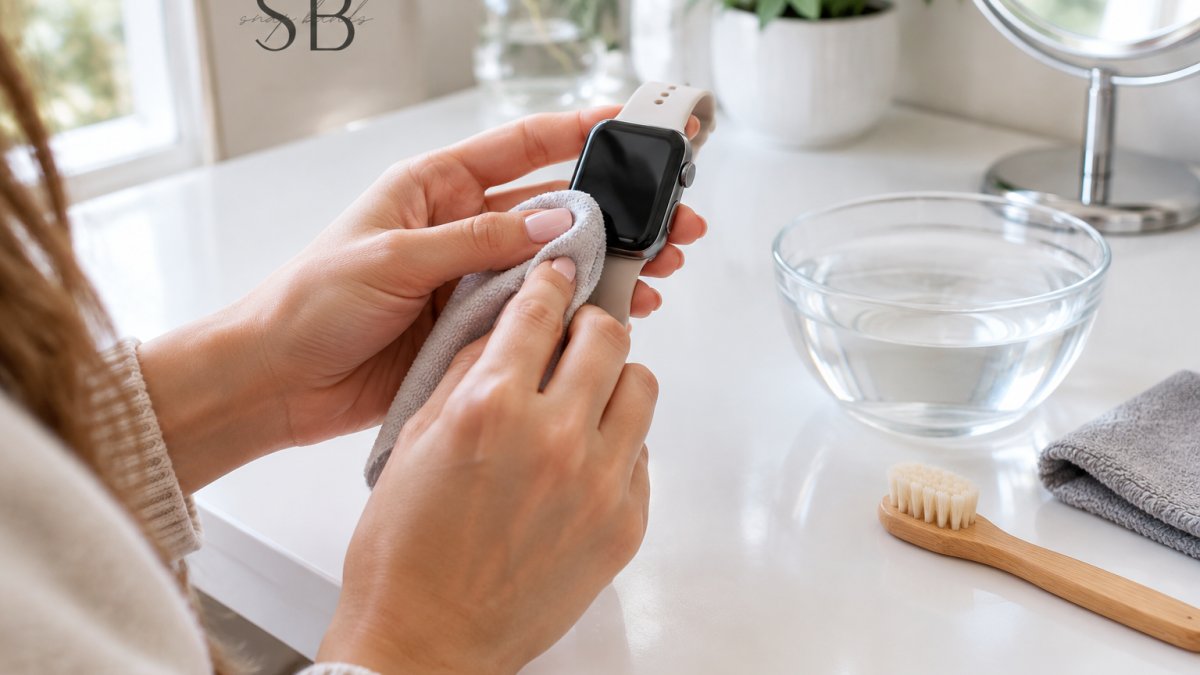
Follow these steps once a week:
- Take the watch off and remove the band.
- Wipe the screen and case with a dry, soft cloth.
- Dampen the cloth slightly and clear sweat and residue from the back.
- Clean the band separately based on its material.
- Dry everything fully before wearing it again.
The sensor array on the back deserves special attention. Dirt and dust can block the optical sensor and affect heart rate readings. A 2024 selection guide from PubMed Central lists accuracy and precision as core criteria for choosing a monitoring wearable. Keeping the sensor clean is how you protect that accuracy day to day.
Watch out: never run water directly over the case or press hard on the sensor dome. Both can push moisture where it should not go.
Smartwatch Band Care: Keep Straps Fresh, Comfortable, and Colorful
Band care is where most wearables quietly fail. Straps collect sweat, lotion, and sunscreen, and silicone traps it against your skin. That buildup is a common cause of irritation and rashes.
Match your cleaning method to the material:
- Silicone: rinse with mild soap and water, then air dry.
- Nylon: hand wash with gentle soap and let it dry fully.
- Metal mesh: wipe with a damp cloth and dry right away.
- Leather: wipe with a dry cloth only, never soak it.
A comfortable fit matters too. A band that slides or pinches rubs the same spot all day. Aim for snug but breathable, with room to slip one finger underneath. If irritation keeps coming back, our guide on how to prevent watch band rash walks through a simple daily routine.
Wearable Device Water Resistance Care: What Sweat and Showers Really Do
Water resistance is a rating, not a promise that lasts forever. Seals wear down with age, heat, and repeated exposure. Sweat is the sneaky one: it is salty and corrosive over time.
Treat moisture like this:
- Rinse and dry the watch after heavy workouts.
- Skip hot showers and saunas while wearing it.
- Never press buttons or the crown underwater.
- Dry the charging contacts before docking.
If you are weighing band materials for sweaty days, our comparison of nylon vs silicone bands for summer comfort covers breathability and drying time. And if water exposure worries you beyond the wrist, read up on whether a waterproof phone case is worth it for daily use.
How to Extend Smartwatch Battery Life With Smarter Charging Habits
You can extend smartwatch battery life by staying between roughly 20% and 80% charge, avoiding heat, and knowing when a fading battery means service rather than a new device. Lithium-ion cells in wearables tend to age faster when kept at very high or very low charge for long stretches, and when charged while warm.
Why the 20-80% habit works: a lithium-ion cell holds voltage highest near full charge, and that elevated voltage slowly wears the chemistry. Deep drains to 0% stress it from the other direction. Short top-ups in the middle range keep the cell in its calmest state.
Heat is the bigger lever, and it is easy to overlook. Charging generates heat on its own; charging on a windowsill, on a warm car dashboard, or under a pillow adds more.
Practical charging habits:
- Top up in short sessions rather than running 0 to 100 every time.
- Charge in a cool spot, away from radiators, sun, and soft bedding.
- Turn off always-on display at night to reduce drain and heat.
- Let the watch cool before charging after intense exercise.
- Store a spare device at about half charge, never fully drained.
How to check battery health: most smartwatch and fitness-tracker companion apps include a battery-health or battery-condition readout, and some devices surface it in settings. Check it every few months and note the trend rather than a single number. A gradual decline over a year or two is normal.
Watch out: never press on, puncture, or keep charging a battery that looks swollen or feels hot to the touch, power it down and get it serviced.
Storage, Software, and the Settings That Protect Your Device
Storage and software are the quiet heroes of device longevity, and they are also where your health data lives. Heat is the biggest storage risk, so keep spare devices cool and dry, and treat software and account settings as part of maintenance rather than an afterthought.
Before storing a wearable for a while:
- Charge it to about half, not full, not empty.
- Power it off.
- Clean and dry it fully, including the band and charging contacts.
- Store it in a cool, dry spot, not a hot car or a humid bathroom.
- Recharge to about half every few months if it will sit for a long time.
On the software side, install updates promptly. Updates often fix sensor bugs, improve battery management, and patch security issues. Review your settings monthly: trim notifications, adjust screen brightness, and check which apps run in the background, since background activity drains battery and can warm the device.
Model-specific care matters here more than most guides admit. Cleaning methods, water-resistance limits, charging recommendations, and service intervals vary by device, so check your model's manual or support page rather than assuming one routine fits all.
Your data deserves the same attention. A few habits protect your health records and keep them portable:
- Secure your account with a strong, unique password and two-factor authentication where available.
- Back up or sync your data regularly so a lost or replaced device does not erase your history.
- Review app permissions and revoke access for apps you no longer use.
- Export your health data periodically if your platform supports it, so you keep a copy you control.
- Before replacing a device, confirm how to transfer or export your records, and remove the old device from your account.
For travel, our tips on how to organize tech accessories for travel keep cables and bands tidy and protected.
Watch out: skipping account security and backups is a common way to lose sleep and activity history when a watch is lost, stolen, or upgraded, set up two-factor authentication and a backup before you need them.
Troubleshooting Common Wear-and-Tear Issues Before They Worsen
Most wearable problems start small. Catching them early saves a repair or a replacement.
| Problem | Likely Cause | Fix | Impact if Ignored |
|---|---|---|---|
| Skin irritation | Trapped sweat under band | Clean band, switch material | Ongoing rash |
| Weak heart rate readings | Dirty sensor | Wipe sensor with soft cloth | Inaccurate health data |
| Fast battery drain | Heat, background apps | Cool charging, trim apps | Shorter battery life |
| Loose or wobbly band | Worn connector | Swap in a fresh band | Risk of dropping watch |
| Fog under screen | Moisture intrusion | Dry fully, seek service | Sensor damage |
A common mistake is ignoring a loose band. A worn connector can let the watch slip off mid-workout. If colors fade or edges fray, that is your cue to refresh the strap.
Build Your Own Wearable Care Kit With Snap Bands
A small care kit makes maintenance effortless. Keep it in a drawer or bag so it is always ready.
Your kit should include:
- A soft microfiber cloth
- A soft-bristled brush
- Mild soap
- A spare band or two
- A small travel pouch
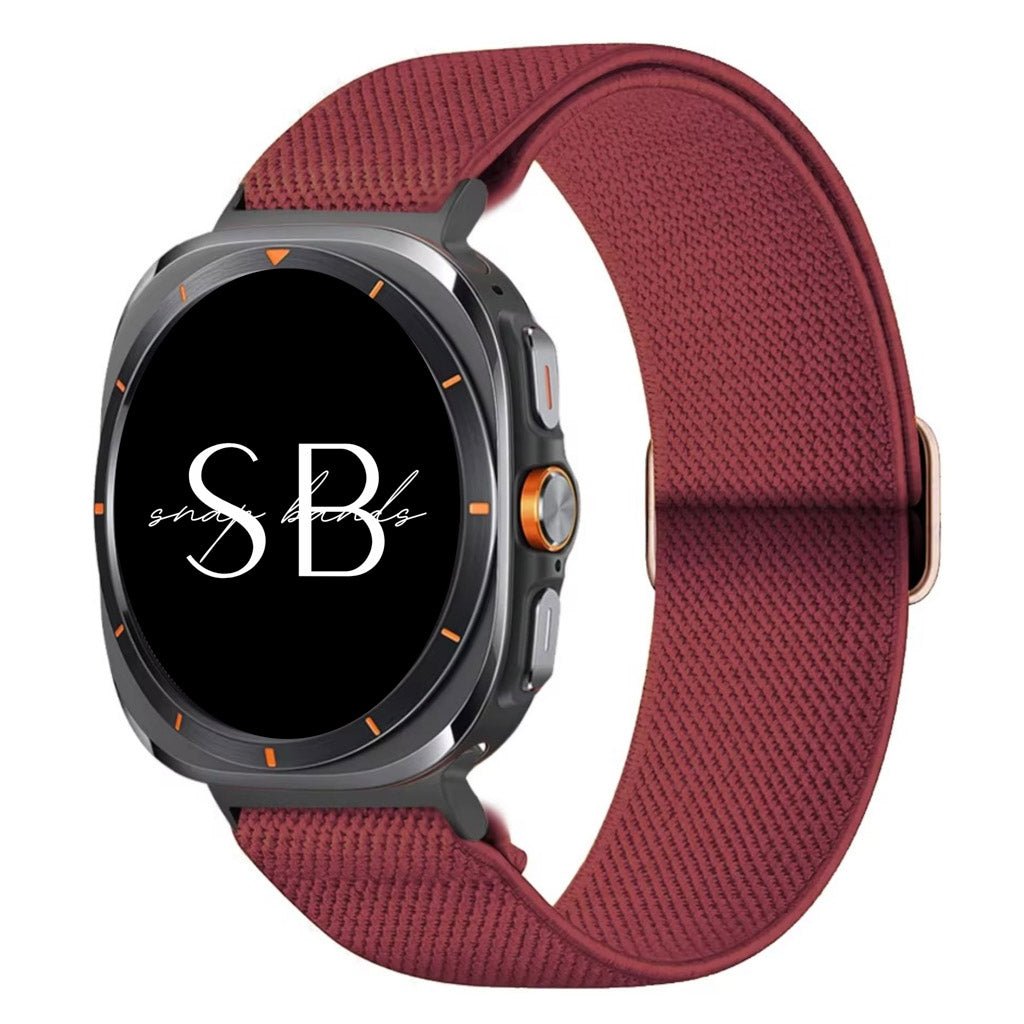
This is where Snap Bands shines. Our bands are super comfy for all-day wear and built for durability. Swap straps to match your mood or outfit, from office meetings to weekend adventures. The Nylon Band Aris is a smart pick for an active week.
With proper care, your wearable tech stays accurate, comfortable, and beautiful for years. The research backs it: a 2025 review in The future of healthy ageing: Wearables in public health stresses calibration and benchmarking to build trust in wearables. Clean sensors and fresh bands are how you hold up your end.
Your watch tracks your health, so give it a little health back. At Snap Bands, we make premium, comfortable watch bands and phone cases in colors and patterns that fit your life. Our third-party bands are compatible with Apple Watch and other brands, with durable construction for worry-free wear and inviting pricing. Get started with Snap Bands and give your wearable the care it deserves.
Frequently Asked Questions
How often should you clean a smartwatch or fitness tracker?
Clean your wearable tech at least once a week if you wear it daily, and more often after workouts or hot days. Sweat, sunscreen, and lotion build up on the screen and sensors, which can dull heart rate readings and irritate skin. A quick wipe with a soft cloth after each wear takes seconds, while a deeper clean with a damp cloth and mild soap once a week keeps sensors accurate and the band comfortable. If you notice a rash or residue, clean immediately rather than waiting for your weekly routine.
Can sweat and water damage wearable tech?
Sweat and water can affect wearable tech over time, especially if moisture sits around seals or under the band. Most smartwatches and fitness trackers carry some water resistance, but that rating can weaken with age, heat, or physical damage. Rinse and dry your device after heavy sweat, avoid pressing buttons underwater, and never charge a wet device. For water resistance care, skip hot showers and saunas, since heat and steam stress seals more than cool water does. Drying your watch and band fully before wearing again is the simplest habit for longevity.
How can I make my smartwatch battery last longer?
To extend smartwatch battery life, keep charges between roughly 20% and 80% instead of running to zero or sitting at 100% all night. Avoid charging in hot places like a sunny car or on a warm windowsill, and turn off always-on displays or reduce screen brightness when you do not need them. Software updates often improve power management, so install them promptly. If your battery drains much faster than it used to, check which apps run in the background and disable notifications you do not use. These habits slow battery degradation without changing how you enjoy your watch.
When should you replace a smartwatch band?
Replace a smartwatch band when you see cracks, fraying, stretched holes, a loose clasp, or skin irritation that keeps returning. Smartwatch band care also means knowing when a band has done its job: silicone can dry out, nylon can hold odor, and metal mesh can loosen over time. A spare band lets you rotate styles and gives each one time to air out, which extends its life. If a band no longer fits securely or feels uncomfortable after cleaning, it is time for a fresh one that matches your daily routine.


